Green flags
- Recent delete, little use since
- Quick scan shows plausible paths
- Stable reader or SATA/NVMe direct
- Staging disk verified with free space
Scenario library
Composite vignettes from recurring support patterns - not testimonials. They show how scan depth, reader quality, and write discipline change the outcome.
Names and avatars are illustrative. The through-line is always the same: stop writes early, stage a different disk, and verify opens instead of trusting filenames alone. For step order, see Workflow; for SSD expectations and staging detail, see SSDs & TRIM and staging disks on the blog.
“Shift-deleted a thesis folder from an external SSD. Quick scan found nothing; deep scan brought back 80% after three hours. Saved to a second drive and verified DOCX files in Word.”

External SSD · Deep scan
“Camera SD card asked to format. Did not format. Recuva on a desktop reader recovered CR2 files; some thumbnails were broken but RAW opened in Lightroom.”
.jpg)
SD card · Card reader
“Emptied Recycle Bin during disk cleanup. Realized tax PDFs were inside. Recuva quick scan restored paths; only two files were partially corrupted.”
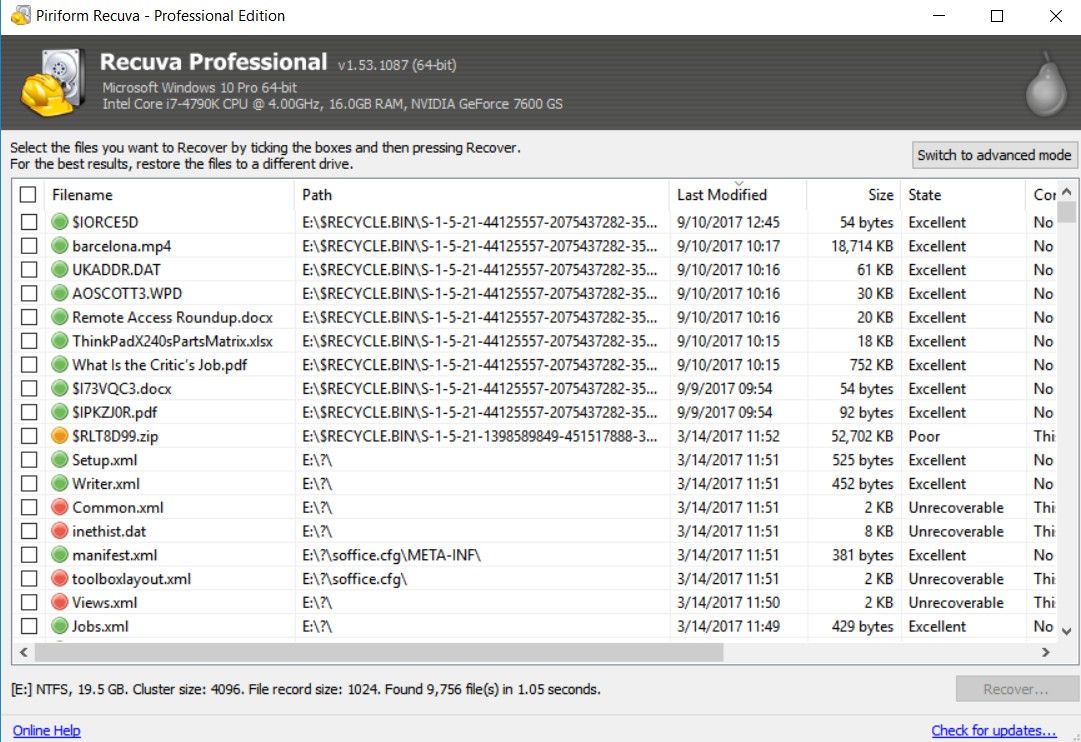
NTFS · Quick scan
“USB stick with a client’s deliverables - deleted the wrong folder on Friday. Quick scan on a desktop port listed everything; recovered to an HDD before re-copying back to a fresh stick. Cheap hub earlier had dropped the device twice.”
USB flash · Quick scan · Direct port
“Laptop NVMe after a mistaken ‘clean install’ prep. Deep scan found fragments; many photos were gone or half-readable. Learned the hard way that TRIM plus time kills undelete odds - now we image first on anything that smells like migration.”
Internal NVMe · Deep scan · Weak yield
“Thought recovery failed until we noticed exports were landing on the same SSD we were scanning. Second run to a USB disk after freeing space recovered what the first pass had overwritten. Operator error, not magic.”
Staging mistake · Re-run
Reading the pattern
Strong outcomes cluster around fresh deletes, healthy file tables, and recovery targets on another physical disk. Weak outcomes cluster around TRIM-heavy SSDs, continued writes, bad cables, and exporting back onto the source. If your situation matches the right column more than the left, adjust expectations before you promise filenames to a stakeholder.
Full-disk encryption without keys, physical clicking drives, or RAID/NAS semantics usually need vendor tools or a lab - not another pass with the same wizard. Stop after a disciplined quick+deep attempt with correct staging; document what you tried for whoever picks up next.
For triage language on the results grid, see green, amber, and unrecoverable on the blog.
Expectations
Polished wizards do not repeal physics: overwritten sectors stay gone. Pair Recuva with immutable backups, verified images, and strict write policy when the dataset actually matters.
Treat “recovered file count” as a signal to verify, not a success metric. A thousand carved entries with broken headers is worse than fifty opens that load cleanly in their native apps.